Ecumaster ADU with EMU Classic or Black
Applies to: IOcan · Standalone controller. What this means
Overview
This guide shows how to display transmission data — current and target gear, transmission temperature, cut and blip levels, calculated vehicle speed, mode, and torque — on an Ecumaster ADU dash when the device is configured with the ECUMASTER EMU Classic or Black Car/ECU protocol.
The device transmits the values on the CAN switch board v3 channels of the EMU
preset; the ADU picks them up from CAN message group 0x640.
1. Select the ECU preset
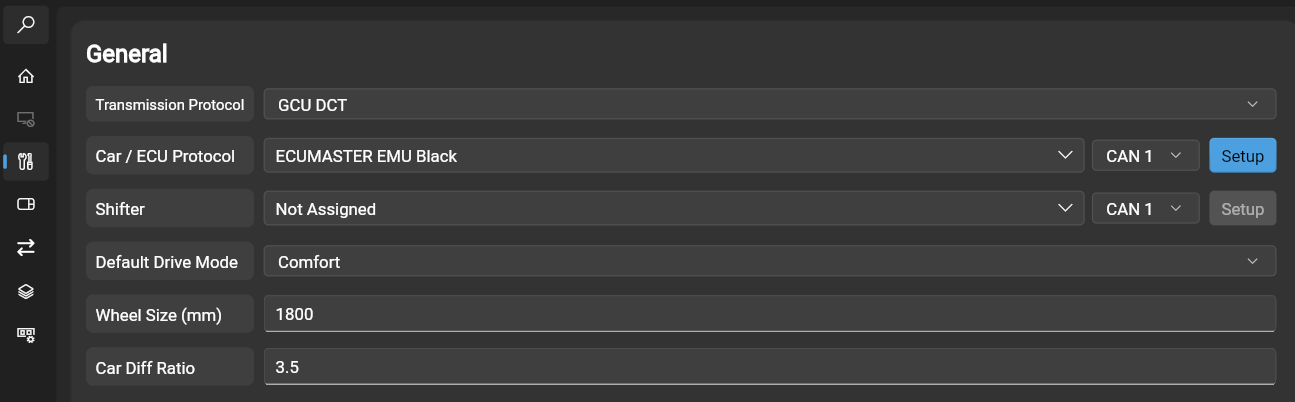
Select ECUMASTER EMU black for the Car/ECU protocol:
2. Enable CAN switch board v3
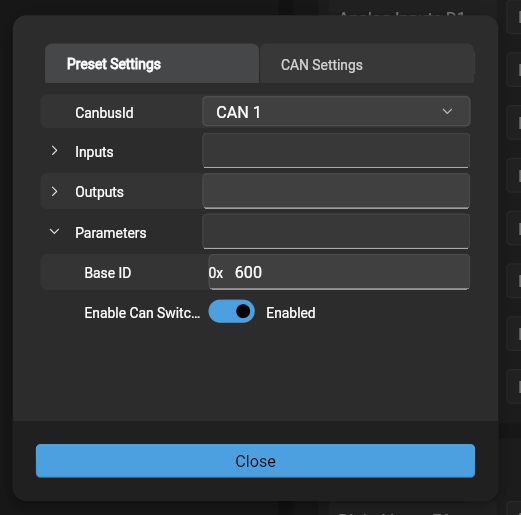
Click the setup button next to the Car/ECU protocol. In the setup window, open parameters and enable Can switch board v3:
3. Save the config to the device and reset it
After the reset, the CAN switch board analog channels carry the following values:
| Channel | Function |
|---|---|
| Analog in 1 | Current gear |
| Analog in 2 | Target gear |
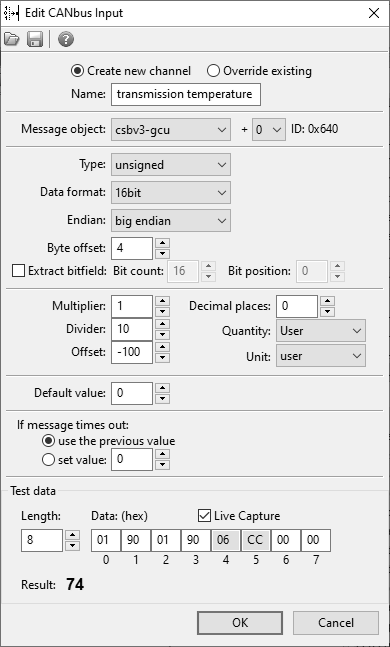
| Analog in 3 | Transmission temperature |
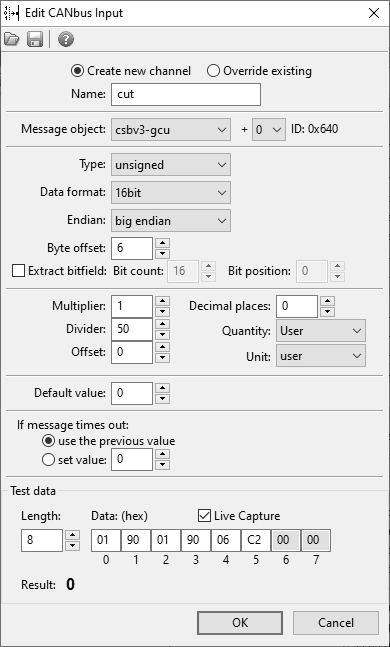
| Analog in 4 | Cut level |
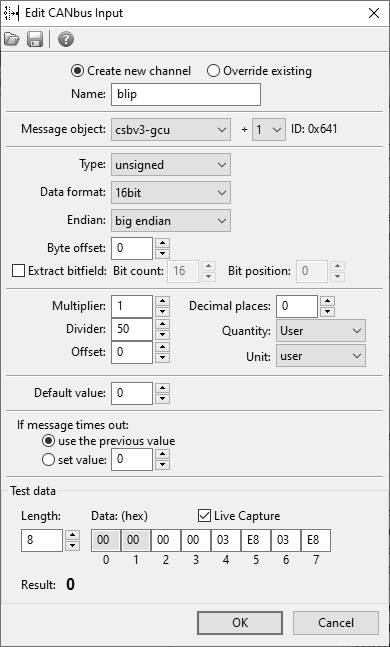
| Analog in 5 | Blip level |
| Analog in 6 | Calculated VSS |
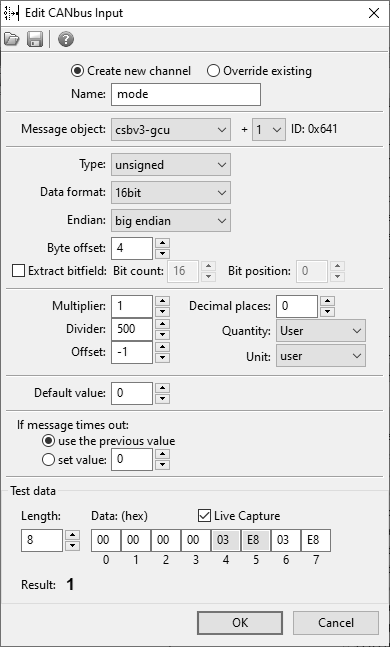
| Analog in 7 | Mode |
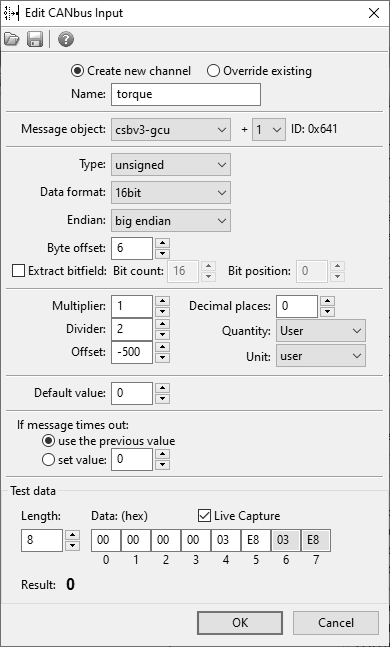
| Analog in 8 | Calculated torque |
4. Create the message group in the ADU software
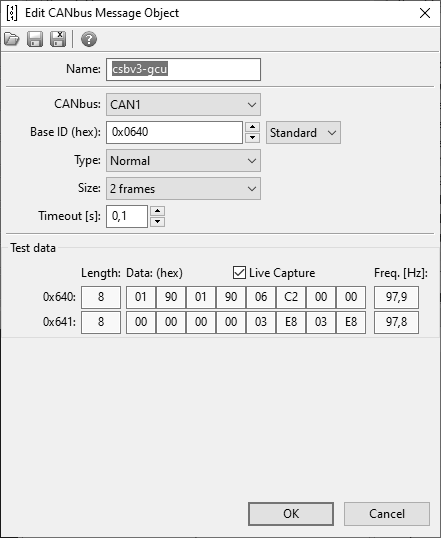
Create a CANbus message object with:
- ID
0x640 - size 2 frames
5. Set up the CAN input channels
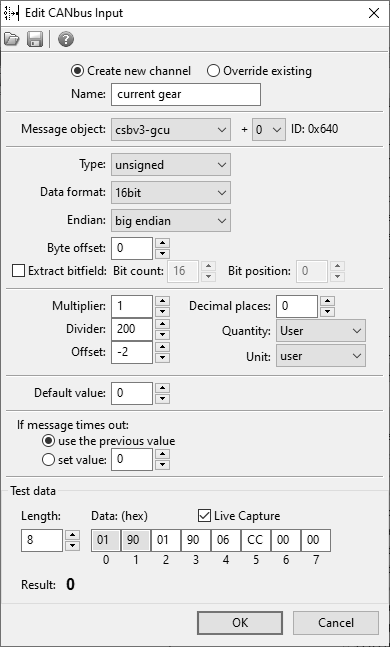
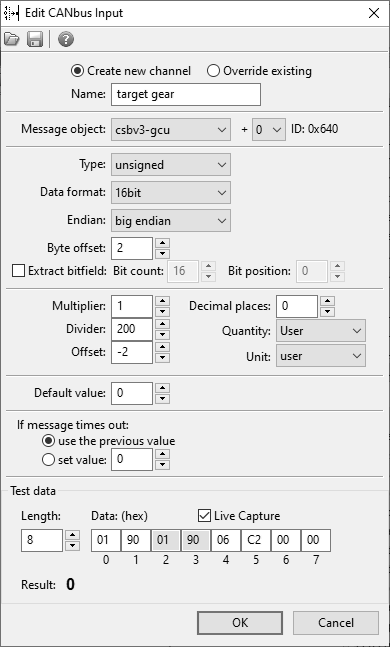
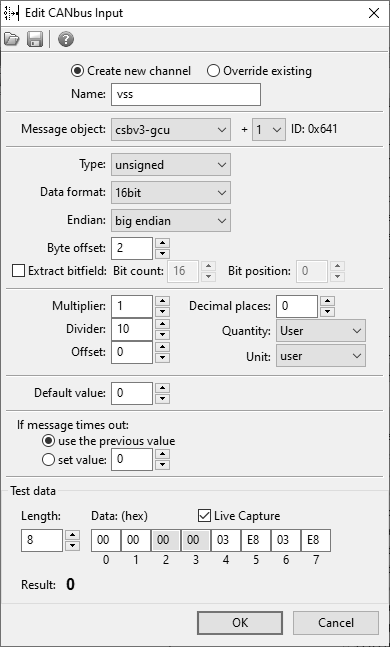
Add one CANbus input per channel, following the mapping from step 3:
Related
- Working with the CAN bus — CAN presets and bus configuration.
- Supported Vehicles & Modules — all supported aftermarket ECUs, dashes, and keypads.